
ID Card Scanner
Scan your ID cards and passport, and share a marked copy when someone asks for one.
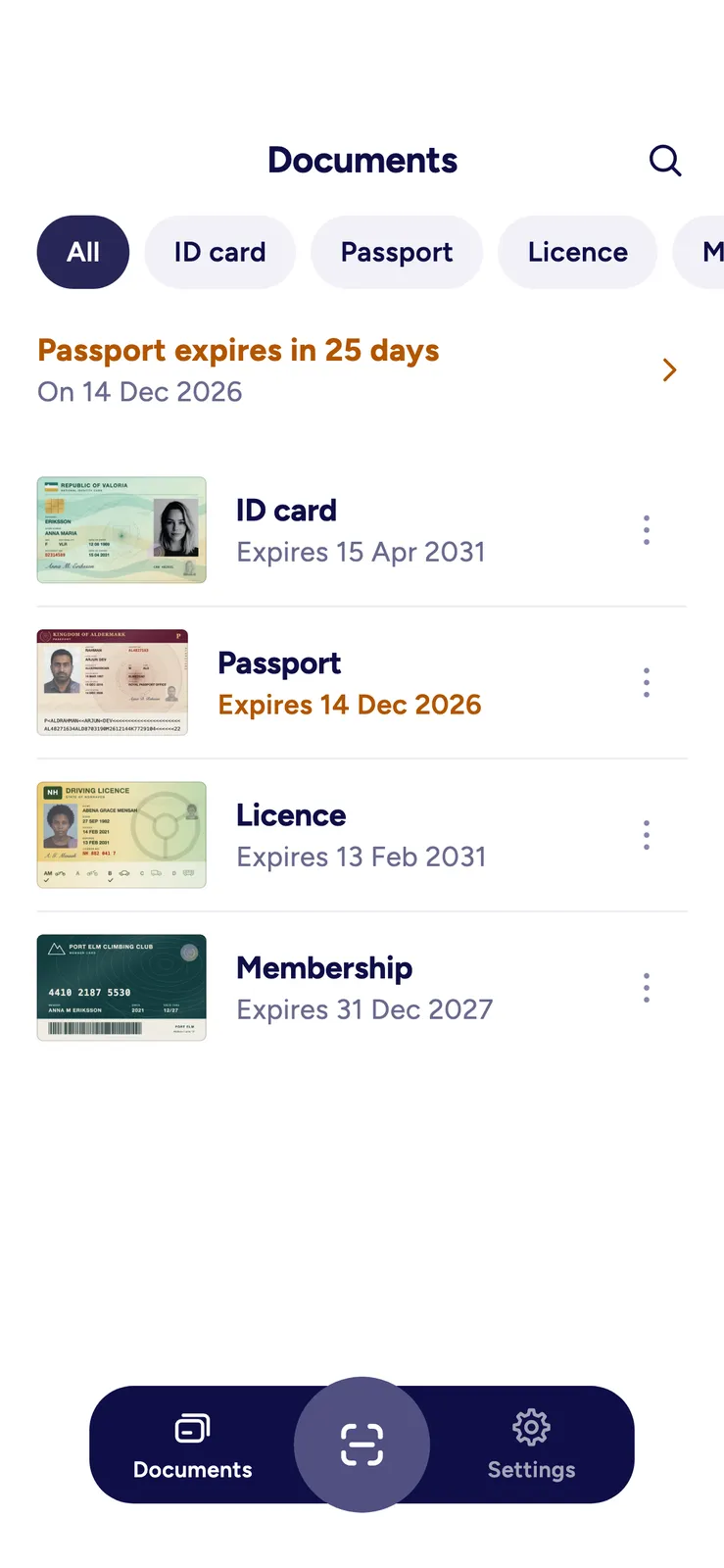
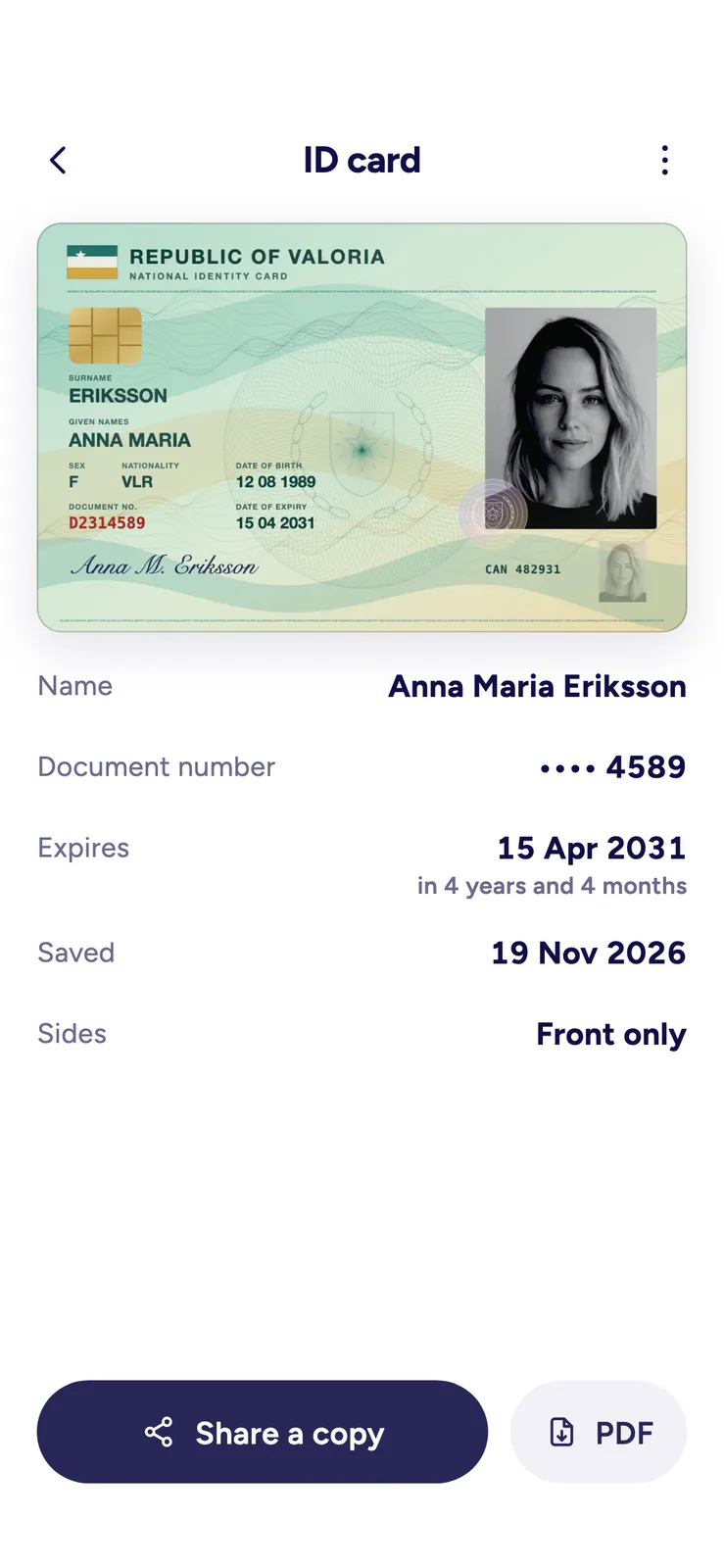
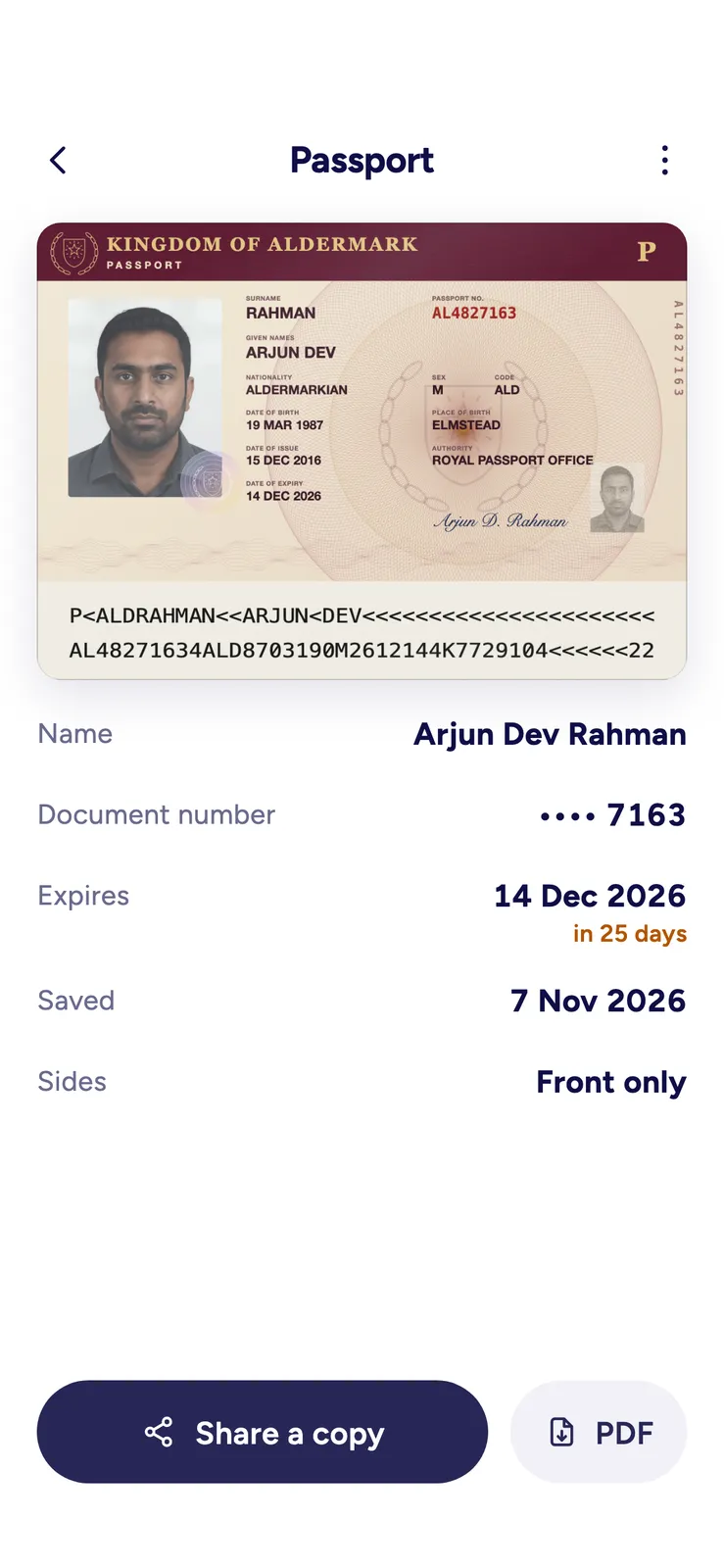
ID Card Scanner keeps your ID cards, passport and other cards on your phone, at their real size, so a copy is ready the next time a bank, a hotel or a landlord asks for one. There is no account to create, and scanning works without an internet connection.
What it does
- Point the camera at a card. The app finds it, takes the photo when you hold it steady, straightens it and cleans it up, then asks for the back. You can also import a photo you already have.
- ID cards, passports, driving licences, and business, student, employee and membership cards.
- Each document keeps its true shape: cards at the size of a bank card, passports at the size of a passport page.
- Add the name, the document number and the expiry date. The number is shown with all but its last four characters hidden.
- See what expires next. A document turns orange 60 days before its expiry date.
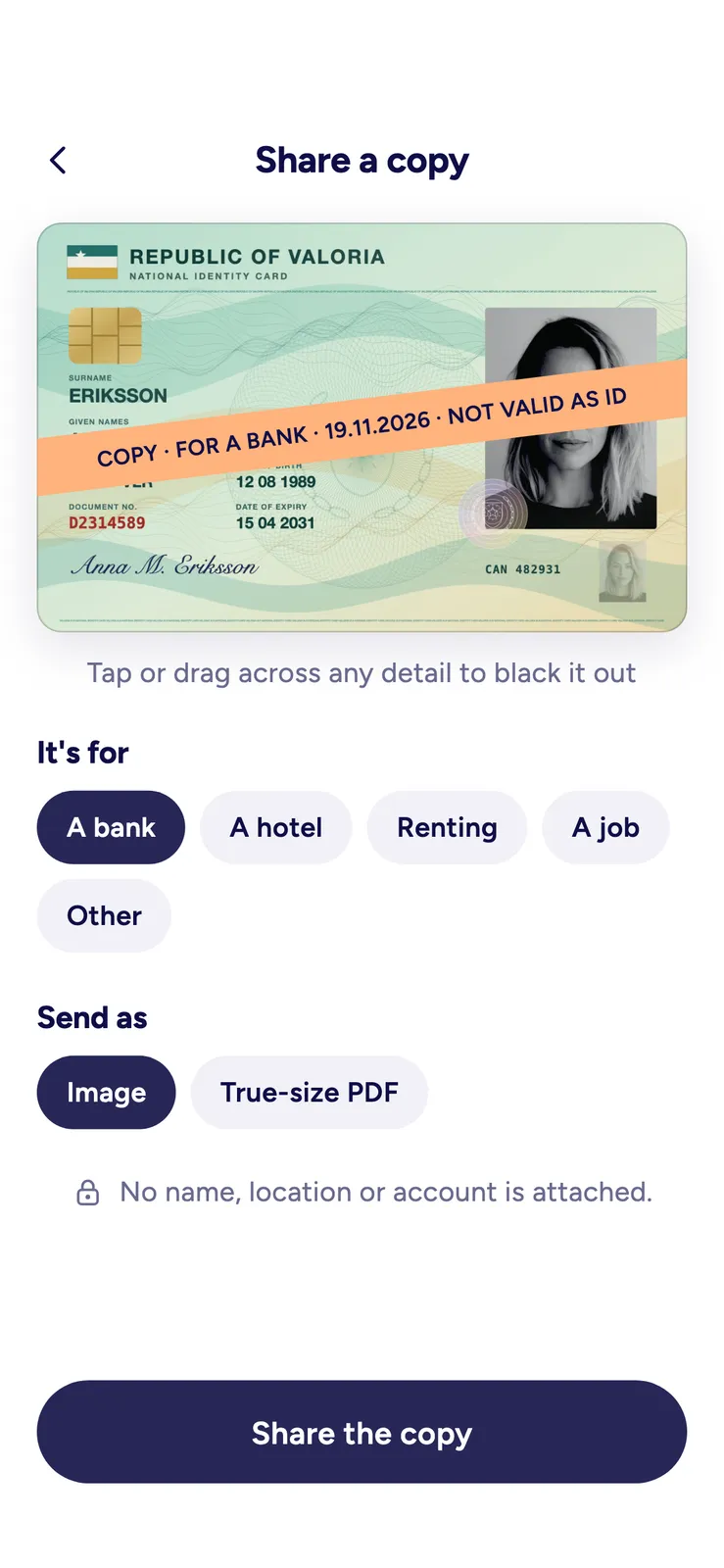
- Share a copy. Say who it is for (a bank, a hotel, renting or a job) and black out any detail you would rather not send. The copy is stamped COPY, with who it is for, the date and NOT VALID AS ID.
- Send the copy as an image, or as a PDF that prints each side at its real size.
- Search your documents by title, name or number.
Free, and what PRO adds
The free version keeps 3 documents and shows a small ad. Sharing copies as images is free. A PDF needs PRO, or one short video ad for each PDF. In the European Economic Area, the UK and Switzerland, the iPhone and iPad app shows no ads, and a PDF needs neither.
ID Card Scanner PRO keeps as many documents as you like, makes every PDF without an ad, and removes the ads. It reminds you 60 days and 14 days before a document expires, and on the day, and it can lock the app behind Face ID, a fingerprint or your phone’s code. It is a yearly subscription with a 3-day free trial for new subscribers, or a one-time lifetime purchase.
Privacy at a glance
- Account
- None. No sign-up.
- Your documents
- Scans and the details you type stay on your phone and are never sent to us. The app keeps them out of iCloud and Google backups. A copy leaves the phone only when you share one yourself.
- Advertising
- Google AdMob, in the free version only. It shows a small banner, and a short video ad if you choose to watch one to make a PDF. The app asks for non-personalised ads only. In the EEA, the UK and Switzerland, the Android app shows Google's consent form first, and the iPhone and iPad app shows no ads. PRO has no ads.
- Crash reports and usage
- Firebase Crashlytics and Google Analytics for Firebase, to fix crashes and see which parts are used. Never your documents or what you type, and never used for advertising. Off in the EEA, the UK and Switzerland unless you turn them on; anyone can turn them off in Settings.
- Purchases
- Through the App Store or Google Play, checked by RevenueCat under an anonymous identifier. We never see card details.
Read the full privacy policy · updated