
IDcrest - Photo ID Card Maker
Professional ID cards for staff, students, visitors and events, designed and printed from your phone.
Download on the App StoreComing soon to Android
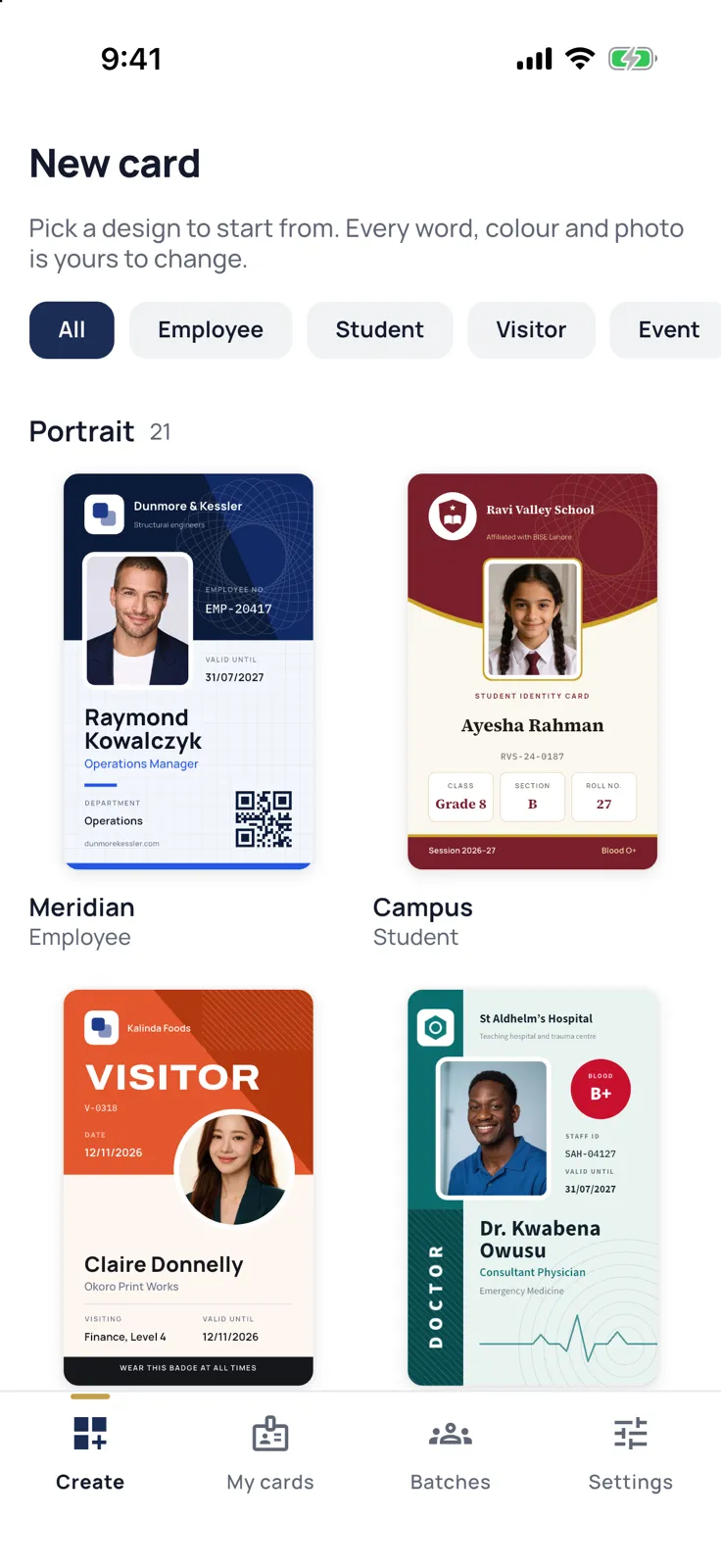
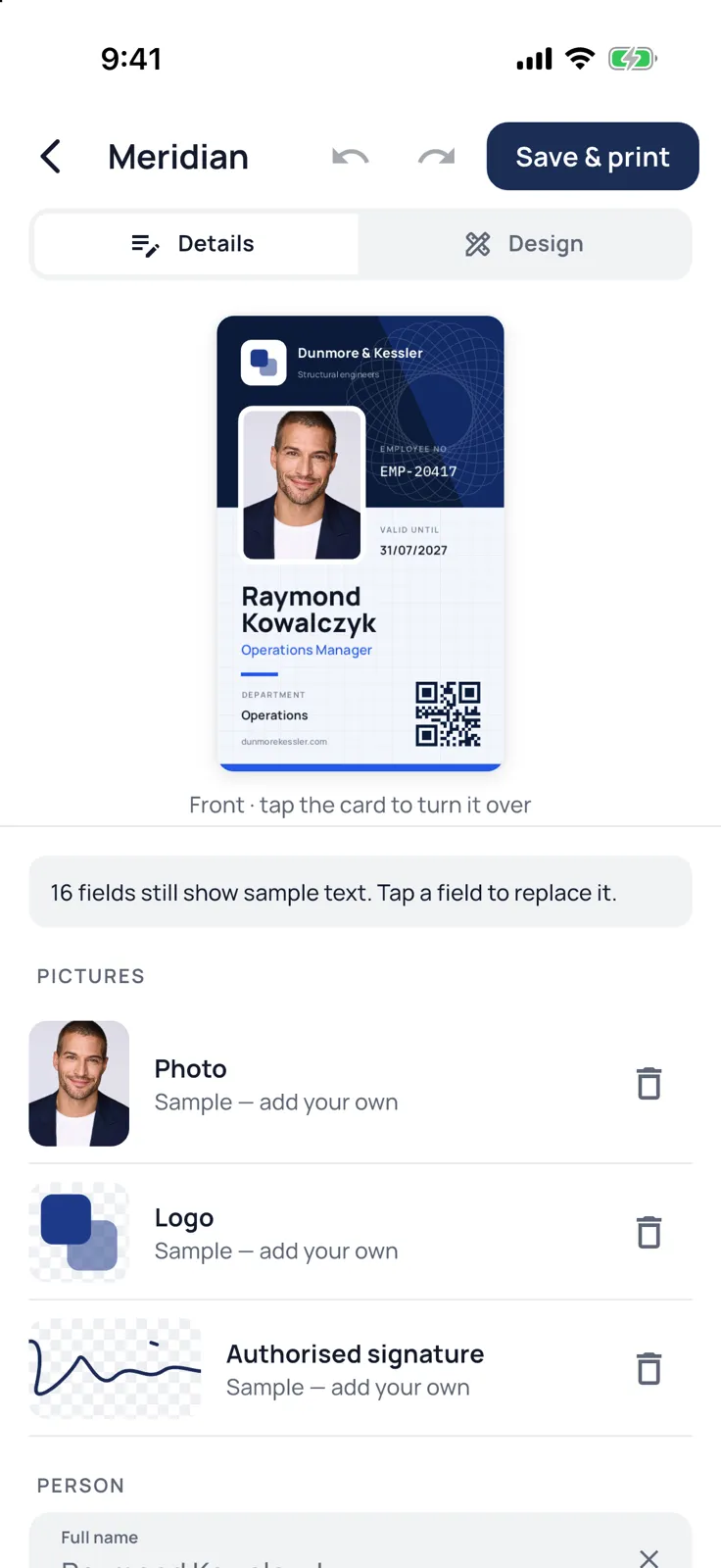
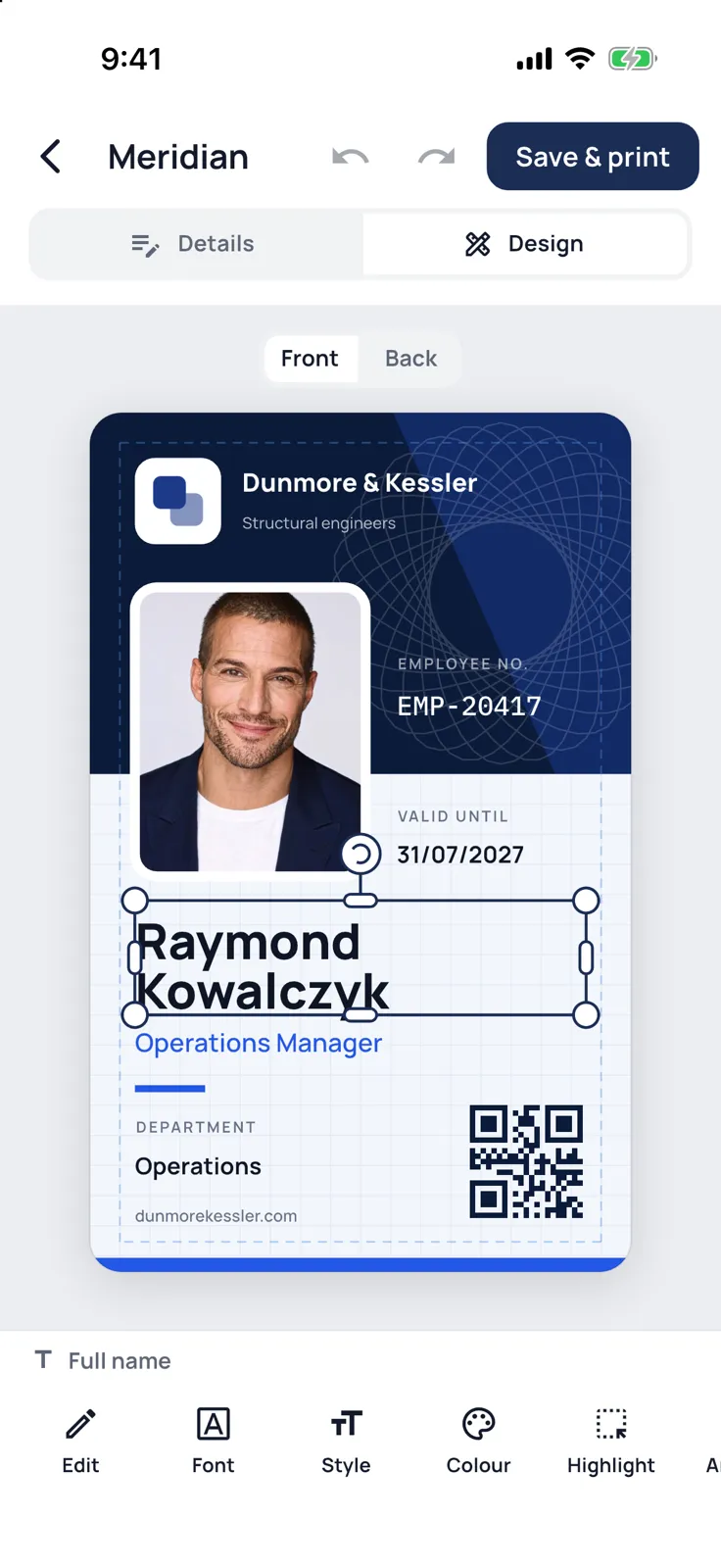
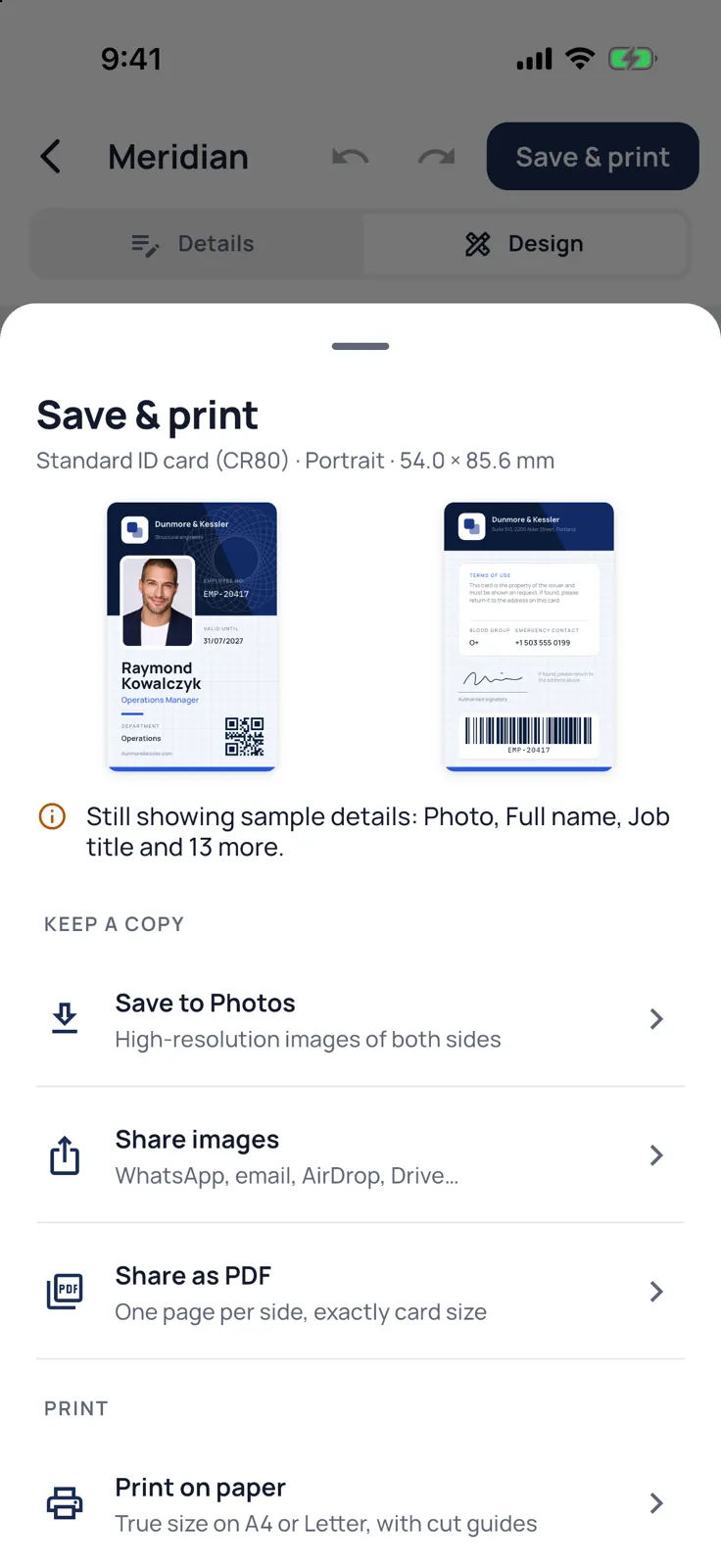
IDcrest makes professional ID cards on your phone, for an office, a school, a reception desk or an event. Pick a design, type the details, add a photo, and save, share or print the card at its true size. There is no account to create, and making cards works without an internet connection.
What it does
- 55 designs for employee, student, visitor, event and membership cards, front and back, upright or sideways: office and site IDs, school, college and bus passes, parent pickup cards, hospital and reception visitor passes, press, exhibitor and delegate badges, gym and club memberships.
- A form for the details, with sample text that shows where everything goes until you type your own: names, job titles, ID numbers, dates, blood groups, emergency contacts, and fields of your own.
- Photos that look right: IDcrest finds the face and frames it. With Pro, it cuts the person out of a busy background, hair and all, and puts a plain backdrop behind them. All on the phone itself.
- A full design editor: move, resize and turn anything, change fonts and colours, and add your logo, a signature, shapes, QR codes and barcodes (Code 128, Code 39, EAN-13, ITF, PDF417 and Data Matrix).
- The app in your language: its screens come in 45 languages and follow your phone’s setting.
- Names, details and labels on the card in Urdu, Arabic and Hindi as well as English.
- Save your school’s or company’s name, logo and address once, and fill them into every new card.
- A check before printing: text too close to the edge, a photo too small to print sharply, a barcode that cannot hold its data, or sample details still on the card.
- Save to your gallery or Photos as a high-resolution image, share a PDF that prints at exactly 85.6 × 54 mm, print on A4 or Letter paper with cut guides, or make card-size pages for a PVC card printer.
Free, and what Pro adds
Making, saving, sharing and printing single cards is free, with every free design and automatic face framing, and with no watermarks. The free version shows a short ad now and then; never while you are making a card.
IDcrest Pro removes a photo’s background and makes cards for a whole class or team at once: import a spreadsheet, match everyone’s photos by file name, and print every card after one check. It prints up to 10 cards on an A4 page, two-sided and lined up for cutting, makes 600 dpi files and print-shop PDFs with bleed and crop marks, opens the Pro designs, and removes the ads. It is a yearly subscription or a one-time lifetime purchase.
Privacy at a glance
- Account
- None. No sign-up.
- Your cards
- Cards, photos, logos, signatures and the spreadsheets you import stay on your phone and are never sent to us. A card leaves the phone only when you save, share or print it yourself.
- Photo tools
- Face framing and background removal run on the phone. On Android, Google's ML Kit reports basic performance figures to Google; your photo is not sent.
- Advertising
- Google AdMob, in the free version only. A small banner under the main screens, now and then a full-screen ad after you save, share or print a card, and a short video only if you choose one. On iPhone, non-personalised ads only and no tracking. Your cards are never shared. Pro has no ads.
- Crash reports and usage
- Firebase Crashlytics and Firebase Analytics receive crash reports and anonymous usage counts, such as whether the Pro offer is opened or bought. Never your cards, photos or anything you type, and you can turn them off in Settings.
- Purchases
- Through the App Store or Google Play, checked by RevenueCat under an anonymous identifier. We never see card details.
Read the full privacy policy · updated